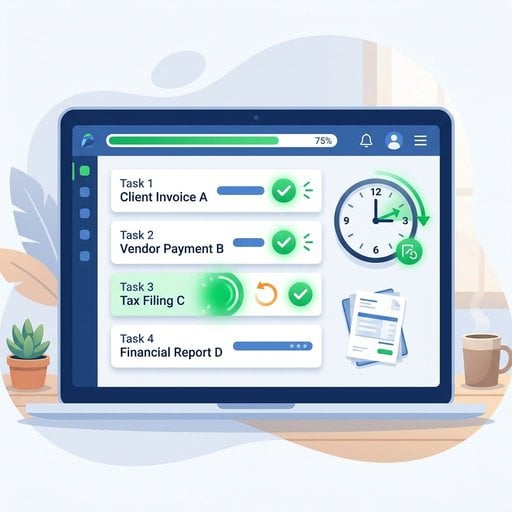
If you're spending hours each week chasing down invoice approvals, manually entering payment details, or re-sending the same recurring invoices to the same clients, invoice automation is not a luxury - it's a practical fix with a measurable payoff. Research from the Institute of Finance and Management consistently shows that manual invoice processing costs businesses significantly more time and money than automated alternatives. For a freelancer, small business owner, or SaaS operator handling dozens of invoices monthly, switching to automated invoice processing can realistically recover five or more hours every single week. This guide walks you through exactly how to do that - with a concrete example, real constraints, and steps you can act on today.
Key Takeaways:
- Invoice automation can save 5+ hours per week by eliminating manual data entry, follow-ups, and recurring invoice creation.
- Automated invoice processing reduces human error and speeds up payment cycles, improving cash flow.
- Setting up recurring invoices is one of the fastest wins - it takes minutes and saves hours every month.
- You don't need enterprise software to automate invoicing - the right tool can be free or low-cost and ready in under an hour.
Content Table
What Is Invoice Automation?
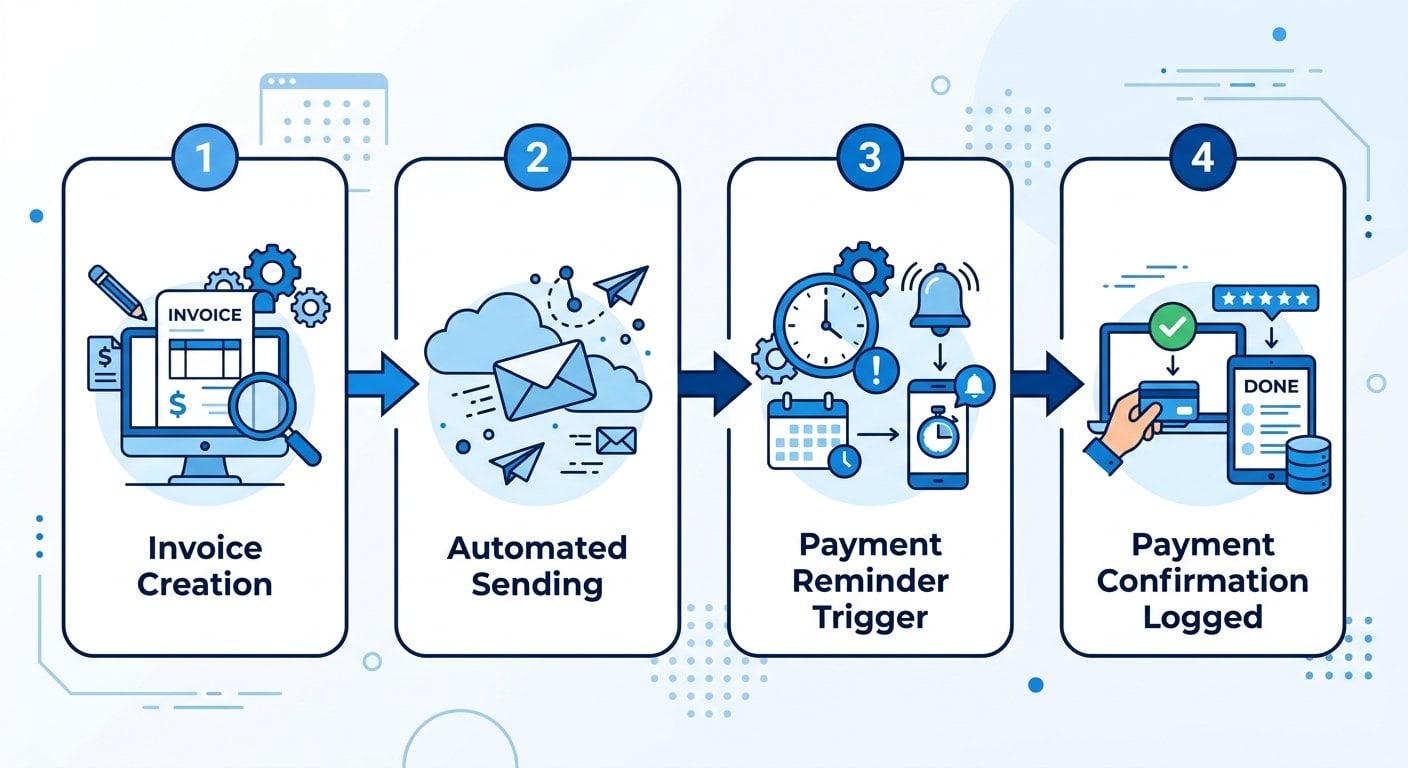
Invoice automation is the process of using software to handle repetitive invoicing tasks without manual input at each step. This includes generating invoices from templates, sending them on a schedule, tracking payment status, sending reminders, and logging payments - all without someone doing each step by hand.
It is different from simply using a digital invoice template. Automation means the system takes action on its own based on rules you define. For example: "When a new month starts, send Invoice #47 to Client X with the current date and the standard retainer amount." You set the rule once. The system handles the rest.
Automated invoice processing also connects to your broader business workflow. Payments get recorded. Overdue invoices trigger reminders. You get a real-time view of what's been paid and what hasn't - without building a spreadsheet by hand.
Where the 5 Hours Actually Go
Before you can save time, it helps to see where the time is going. Here's a realistic breakdown for a business sending 20-30 invoices per month:
| Task | Manual Time (per month) | Automated Time (per month) |
|---|---|---|
| Creating invoices from scratch | 90 min | 5 min |
| Sending and following up on recurring invoices | 60 min | 0 min |
| Chasing late payments manually | 75 min | 10 min |
| Logging payments and updating records | 45 min | 5 min |
| Fixing errors and resending corrected invoices | 30 min | 5 min |
Total manual time: roughly 300 minutes (5 hours) per month. With automation, that drops to under 25 minutes. The savings compound when you're handling more clients or higher invoice volumes.
A Concrete Example: From Manual to Automated
Consider Sara, a freelance UX designer who works with four ongoing clients. Each client pays a monthly retainer. Every month, Sara manually creates four invoices, fills in the date, adjusts any project-specific line items, sends each invoice via email, then follows up if payment doesn't arrive within two weeks.
That process takes her about 20 minutes per client per month - roughly 80 minutes just for recurring invoices, not counting the follow-up emails.
After setting up invoice automation, here's what changed:
- She built a template for each client with their standard line items and rates. (See free invoice templates that convert for design guidance.)
- She set each client's invoice to send automatically on the 1st of the month.
- She configured a payment reminder to go out automatically on day 7 and day 14 if unpaid.
- Payments are logged automatically when received.
Now Sara spends about 10 minutes per month reviewing her invoicing dashboard - not 80+ minutes creating and chasing invoices. That's a real, concrete time saving from a simple setup that took her less than an hour to configure.
How to Set Up Invoice Automation Step by Step
You don't need a developer or an expensive platform to get started. Here's a practical setup process:
- Audit your current invoicing workflow. List every manual step you take from creating an invoice to confirming payment. This tells you exactly what to automate first.
- Choose a tool that supports recurring invoices and automated reminders. If you're comparing free and paid options, the free invoice generator vs. paid software guide breaks down what you actually need.
- Build your invoice templates. Create one template per client type or service category. Include all standard fields: your business name, client details, line items, payment terms, and due date logic.
- Set up recurring invoices. For any client on a retainer or subscription model, configure the invoice to generate and send on a fixed schedule. This is the single highest-impact step for most small businesses.
- Configure automated payment reminders. Set at least two reminder triggers: one before the due date and one after. Keep the tone professional but direct.
- Test the full flow before going live. Send a test invoice to yourself. Confirm it looks correct, arrives on time, and that the reminder logic triggers as expected.
- Monitor and adjust in the first 30 days. Check that payments are being logged correctly and that no invoices are falling through the cracks.
If you're working from a phone rather than a desktop, the process is just as accessible. The guide on how to invoice clients from your phone covers the mobile-specific workflow in detail.
Best Practices for Invoice Automation
Setting up automation is one thing. Getting it to work reliably over time is another. These tips reflect what actually makes a difference in practice:
- Use clear payment terms in every invoice. "Net 30" is vague for many clients. "Payment due by [specific date]" gets faster results. Automate the date calculation so it's always accurate.
- Personalize automated messages slightly. A reminder that starts with the client's name and references the specific invoice number feels less like spam and gets better response rates than a generic template.
- Don't automate what still needs judgment. New clients, disputed invoices, or unusual billing arrangements should still get a human review before sending. Automation works best for predictable, repeating situations.
- Keep your client data clean. Automation is only as reliable as the data feeding it. Outdated email addresses or incorrect payment terms will cause failures. Audit your client records quarterly.
- Set up automated payment confirmation emails. When a payment comes in, the system should acknowledge it automatically. This reduces "did you receive my payment?" emails from clients.
- Check your automation logs weekly at first. Even well-configured systems have edge cases. Reviewing logs for the first month catches issues before they become problems.
- Understand your compliance requirements. Depending on your region, invoices may need to meet specific legal standards. The invoice requirements guide covers what fields are legally required in different jurisdictions.
For freelancers specifically, the freelancer's guide to professional invoicing includes additional context on structuring your billing workflow as a solo operator.
Real Constraints to Plan For
Invoice automation is not a set-it-and-forget-it solution in every case. Here are the real constraints you should account for:
- Variable billing amounts. If your invoices change each month based on hours worked or project scope, fully automated sending may not apply. You can still automate the template generation and reminder flow, but you'll need to review and approve the amount before sending.
- Client-specific invoice formats. Some enterprise clients require invoices in a specific format or submitted through a vendor portal. Automation helps with your side of the process, but delivery may still require a manual step.
- Tax and compliance changes. If you operate in the EU, e-invoicing mandates are expanding. The EU e-invoicing mandates guide explains which countries are affected and when requirements take effect. Your automation setup needs to stay current with these rules.
- Integration gaps. Not every invoicing tool connects cleanly with every accounting system. Before committing to a platform, verify that it integrates with the tools you already use for bookkeeping and payments.
None of these constraints mean automation isn't worth it. They mean you should map your specific workflow before choosing a tool, so you pick one that handles your actual situation rather than an idealized version of it.
Conclusion
Invoice automation is one of the most practical ways to recover time in a business without hiring additional help or overhauling your entire workflow. The five hours per week figure is not hypothetical - it reflects real tasks that most businesses are still doing manually. Start with recurring invoices and automated reminders. Those two changes alone will produce a visible difference in the first month. From there, you can expand automation to cover more of your billing process as your confidence and volume grow. The goal is not to remove all human involvement - it's to remove the repetitive parts so your attention goes where it actually matters.
Start Automating Your Invoices Today - No Setup Fee
Create professional invoices, set up recurring billing, and automate payment reminders in minutes. Spend less time on admin and more time on the work that grows your business.
Try Our Free Invoice Tool →
Invoice automation is the use of software to handle repetitive billing tasks automatically - including generating invoices, sending them on a schedule, triggering payment reminders, and logging received payments. Instead of doing each step manually, you define rules once and the system executes them consistently without further input.
Start by building invoice templates for your most common billing scenarios. Then configure recurring invoices for repeat clients and set up automated payment reminders. Choose a tool that integrates with your payment and accounting systems. Test the full flow before going live, and review your automation logs during the first 30 days to catch any issues early.
Automation reduces late approvals by sending invoices and reminders on a consistent, timely schedule without relying on someone to remember to follow up. Automated reminders at defined intervals (for example, day 7 and day 14 after the due date) prompt action faster than manual follow-ups, which often get delayed or forgotten during busy periods.
Yes, partially. You can automate the template generation, client data population, and reminder flow even when amounts vary. The difference is that you'll review and approve the invoice amount before it sends rather than letting it go out fully automatically. This still saves significant time compared to building every invoice from scratch each month.
Absolutely. Freelancers and small businesses often benefit the most from invoice automation because they handle billing without a dedicated finance team. Setting up recurring invoices and automated reminders takes less than an hour and immediately reduces the admin burden. Many tools offer free plans that cover the core automation features a solo operator or small team needs.