
The debate around free invoice generator vs paid software is one that trips up a lot of freelancers and small business owners. You start out sending invoices from a Word doc, then someone recommends a free invoicing app, and suddenly you're wondering whether you should be paying $30 a month for accounting software instead. The honest answer is: it depends on where you are in your business right now. This article breaks down the real differences, shows you a concrete example of when each option makes sense, and gives you a clear framework to make the right call without overspending or undershooting your needs.
Content Table
Key Takeaways:
- Free invoice generators cover most needs for freelancers sending fewer than 10-15 invoices per month.
- Paid software adds value mainly through automation, tax reporting, and multi-user access.
- The right tool depends on your invoice volume, client complexity, and tax obligations - not on what sounds most professional.
- You can start free and upgrade later without losing data, as long as you export your records regularly.
What Each Option Actually Includes
Before comparing prices, it helps to understand what you're actually comparing. Free invoicing apps for freelancers typically offer core invoicing features: customizable templates, PDF export, basic client management, and sometimes a payment link. Tools like BlueInvoice let you generate a professional invoice in under two minutes, with no account required in many cases.
Paid freelance billing software goes further. It usually includes automated payment reminders, expense tracking, bank reconciliation, multi-currency support, and tax reporting dashboards. Some platforms also integrate directly with accounting tools like QuickBooks or Xero, or include built-in time tracking.
The gap between free and paid is real, but it only matters if you actually need those extra features. Most freelancers starting out do not.
Side-by-Side Comparison Table
Here is a direct comparison of what you typically get with a free invoice generator versus paid software. Keep in mind that specific features vary by platform, so always check the current plan details before committing.
| Feature | Free Invoice Generator | Paid Software (e.g., FreshBooks, Wave Paid) |
|---|---|---|
| Invoice creation | Yes - unlimited or limited by plan | Yes - unlimited |
| PDF export | Yes | Yes |
| Custom branding / logo | Often yes | Yes - advanced customization |
| Client management | Basic | Full CRM-style features |
| Payment reminders | Manual or none | Automated sequences |
| Expense tracking | Rarely included | Yes - with receipt scanning |
| Tax / VAT calculation | Manual input | Automated by region |
| Financial reporting | None or minimal | Profit/loss, cash flow, etc. |
| Multi-user access | No | Yes - team roles |
| Recurring invoices | Rare | Yes |
| Online payment integration | Sometimes (Stripe, PayPal) | Yes - multiple gateways |
| Mobile invoicing | Browser-based, often mobile-friendly | Dedicated app |
| Monthly cost | $0 | $15 - $60+ per month |
| Learning curve | Low | Medium to high |
| Best for | Solo freelancers, low volume | Growing businesses, complex needs |
A Concrete Example: Two Freelancers, Two Different Needs
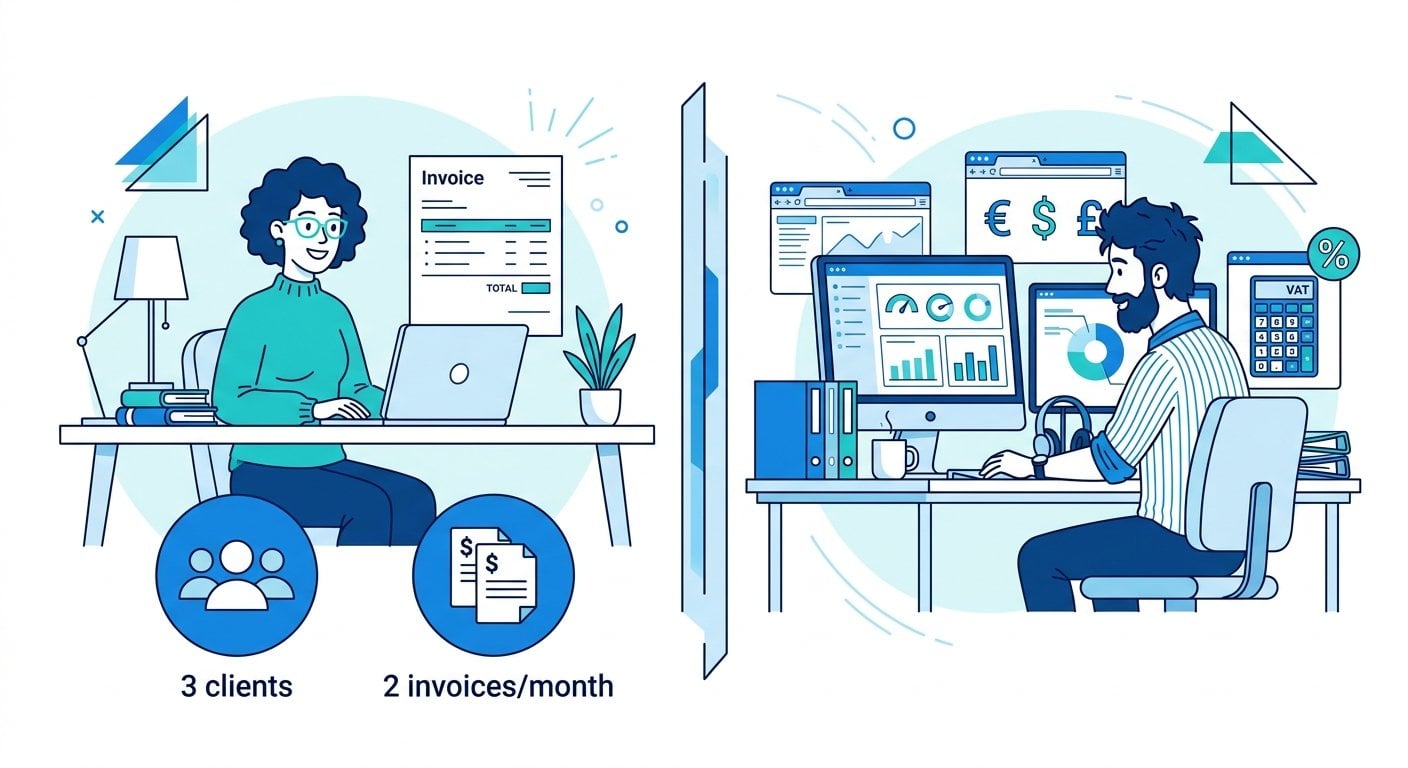
Consider two freelancers: Sara and Marcus.
Sara is a copywriter who works with three regular clients. She invoices twice a month, charges a flat rate per project, and files taxes annually with a simple income statement. She spends about five minutes per invoice. For Sara, a free invoice generator like BlueInvoice is more than enough. She gets a clean, professional PDF, can add her logo, and sends it directly to clients. She saves roughly $360 a year by not subscribing to paid software she does not need. She can also use professionally designed invoice templates to keep her documents looking sharp without any extra cost.
Marcus is a web developer who manages 12 active clients, tracks billable hours, deals with multi-currency invoices (some clients are in the EU), and needs quarterly VAT reports for his accountant. He also has a part-time assistant who needs access to the billing system. For Marcus, a paid platform like FreshBooks or the best accounting software for freelancers in his category makes clear financial sense. The time saved on VAT calculations and automated reminders alone justifies the monthly fee.
The difference is not about professionalism. Both Sara and Marcus can send polished invoices. The difference is operational complexity.
Real Constraints to Consider Before You Decide
When choosing between free and paid, think through these specific constraints rather than abstract features:
- Invoice volume: If you send fewer than 15 invoices per month, free tools handle this without friction.
- Tax complexity: If you need to apply VAT, GST, or sales tax across different jurisdictions, check out the invoice requirements that apply to your region. Paid software handles this more reliably.
- Payment follow-up time: If you spend more than 30 minutes a week chasing late payments manually, automated reminders in paid tools can pay for themselves quickly.
- Client payment preferences: If clients expect to pay online directly from the invoice, check whether your free tool supports payment gateway integration.
- Year-end reporting: If your accountant needs a profit-and-loss statement or expense breakdown, free tools may leave you exporting data manually from spreadsheets.
One practical note: if you are invoicing from your phone regularly, it is worth checking whether your chosen tool works well on mobile. Some free tools are fully browser-based and work well on any device. You can learn more about how to invoice clients from your phone without needing a separate app download.
Best Practices for Using a Free Invoice Generator
If you decide a free tool is right for you, here are practical tips to get the most out of it, specifically with a tool like BlueInvoice:
- Always include all required fields. A professional invoice must include your name, address, invoice number, date, itemized services, and payment terms. Missing fields can delay payment or cause legal issues. Check the invoice requirements guide for your country.
- Use a consistent invoice numbering system. Start with INV-001 and increment from there. This makes it easy to track outstanding invoices without any software dashboard.
- Save every PDF immediately. Free tools do not always store your invoices in the cloud. Download and save each invoice to a dedicated folder organized by client and year.
- Set clear payment terms on every invoice. Include "Net 14" or "Due within 30 days" directly on the document. This removes ambiguity and gives you a paper trail if payment is delayed.
- Add your bank details or payment link. The fewer steps a client needs to take to pay you, the faster you get paid. BlueInvoice and similar tools let you add payment instructions directly to the invoice.
- Use a professional template from the start. First impressions matter. A well-structured invoice signals that you run a serious operation. Browse free invoice templates that convert to find a design that fits your brand.
- Keep a simple payment tracking spreadsheet. Since free tools often lack a dashboard, maintain a basic spreadsheet with columns for invoice number, client, amount, date sent, and date paid.
For a deeper dive into professional invoicing habits, the Freelancer's Guide to Professional Invoicing covers the full workflow from first draft to payment confirmation.
When to Upgrade to Paid Software
There are clear signals that it is time to move from free to paid. Watch for these in your own workflow:
- You are spending more than two hours per week on billing-related admin tasks.
- You have more than 10 active clients with different billing cycles.
- You need to track expenses alongside income for tax purposes.
- A client or accountant has asked for financial reports you cannot generate from your current setup.
- You are regularly invoicing in more than one currency.
- You have brought on a business partner or assistant who also needs billing access.
According to SCORE's small business research, late payment is one of the top cash flow challenges for freelancers and small businesses. Automated reminders in paid software directly address this problem - which is why the upgrade often pays for itself within the first month for businesses with higher invoice volumes.
The IRS Self-Employed Tax Center also outlines the record-keeping requirements for self-employed individuals in the US, which can help you assess whether your current invoicing setup is legally sufficient.
Conclusion
The free invoice generator vs paid software decision comes down to one honest question: does your current workflow have friction that costs you real time or money? If you are a solo freelancer with a small client list and simple tax needs, a free tool like BlueInvoice is a smart, lean choice. If your business has grown past that point, a paid platform will likely earn back its cost quickly. Start where you are, use the best practices above to run a tight operation with free tools, and upgrade only when the numbers or the complexity demand it.

Create a Professional Invoice in Under 2 Minutes - Free
BlueInvoice lets you generate, customize, and download a professional invoice instantly. No account needed, no subscription, no catch.
Try Our Free Invoice Generator →
Yes, for many full-time freelancers a free invoice generator is completely sufficient. If you have a manageable client list, straightforward tax obligations, and do not need automated reminders or expense tracking, free tools like BlueInvoice cover everything you need to invoice professionally and get paid on time.
The biggest limitations are the lack of automated payment reminders, no built-in expense tracking, and minimal financial reporting. For freelancers with high invoice volumes or complex tax situations, these gaps can create real admin overhead. For simpler setups, these features are rarely missed in day-to-day use.
Start by counting your monthly invoices, active clients, and the time you spend on billing admin. If those numbers are low and your taxes are straightforward, start free. If you need VAT automation, recurring billing, or financial reports, compare paid platforms based on those specific features rather than overall popularity.
Yes, as long as you save PDF copies of every invoice and maintain a simple spreadsheet log. Most free tools do not export data in formats that paid platforms can import directly, so keeping your own records is the safest approach. Start this habit from your very first invoice.
Not exactly. Freelance billing software focuses on creating and sending invoices, tracking payments, and managing clients. Accounting software covers a broader scope including expense tracking, bank reconciliation, payroll, and financial statements. Some platforms combine both, while others specialize in one area. Choose based on what your workflow actually requires.