
आपके अपने देश का क्लाइंट
अपने देश की दर लगाएं। इनवॉइस पर दर, VAT राशि और आपका VAT नंबर दिखते हैं।
नेट 1,500.00VAT 21% 315.001,815.00
This free invoice generator works out the VAT as you type: fill in the sheet, set the rate, and download a PDF. न साइन-अप की ज़रूरत, न कुछ इंस्टॉल करने की।
A VAT invoice is an ordinary invoice with the tax laid out so your client can reclaim it. It names both businesses, shows your VAT registration number, and splits the money into the net price, the VAT rate, the VAT charged, and the total. If you are registered for VAT, this is the document you send. If you are not, you send an invoice without VAT: set the rate to 0% and the PDF leaves the VAT line out.
UK, आयरलैंड और ज़्यादातर कॉमनवेल्थ देशों में इसी दस्तावेज़ को अक्सर VAT टैक्स इनवॉइस या सिर्फ़ टैक्स इनवॉइस कहा जाता है। नाम बदल जाता है, पर काम वही रहता है: यह वह रिकॉर्ड है जिसके आधार पर आपका क्लाइंट VAT क्लेम कर पाता है और टैक्स विभाग उसे आपके रिटर्न से मिला पाता है।
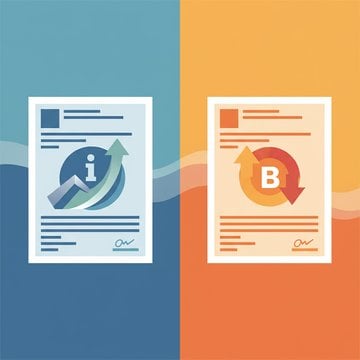
| सामान्य | VAT इनवॉइस | |
|---|---|---|
| आपका VAT नंबर | - | ✓ |
| VAT दर और राशि | - | ✓ |
| नेट और ग्रॉस कुल राशि | सिर्फ़ कुल राशि | ✓ |
| क्लाइंट का VAT नंबर | - | सीमा-पार B2B के लिए |
The VAT line is always the net amount multiplied by the rate. Change the numbers in this VAT invoice example to see it.
Add up the line amounts to get the net subtotal, multiply it by the VAT rate, and add the result to reach the amount due. The sheet above works out the VAT like a VAT calculator as you type, but it helps to know what each number in the VAT breakdown means before you send it.
राउंडिंग का एक तरीका चुनें और उसी पर टिके रहें। सबटोटल पर एक बार VAT को राउंड करना सबसे आम तरीका है और इससे सबसे साफ़ नतीजा मिलता है।
1,500.00 × 21% = 315.00
Under the VAT invoice requirements in Article 226 of the VAT Directive, the EU VAT invoice format adds these seven details to an ordinary invoice.
आपका क्लाइंट कहां है और वह बिज़नेस है या नहीं, इसी से तय होता है कि VAT लाइन पर क्या लिखा जाएगा।
अपने देश की दर लगाएं। इनवॉइस पर दर, VAT राशि और आपका VAT नंबर दिखते हैं।
नेट 1,500.00VAT 21% 315.001,815.00
आमतौर पर कोई VAT नहीं लगाया जाता: रिवर्स चार्ज के तहत आपका क्लाइंट उसका हिसाब खुद करता है। दोनों VAT नंबर दिखाएं, दर 0% पर सेट करें और “Reverse charge, Article 196 VAT Directive” जैसा नोट जोड़ें। पहले VAT नंबर की जांच करें।
नेट 1,500.00VAT 0%1,500.00
Since 1 July 2021, once your cross-border sales to consumers pass €10,000 a year, goods and digital services are taxed at the customer's rate, usually declared through the One-Stop Shop (OSS).
नेट 100.00VAT 20% (FR) 20.00120.00
आप किसी भी मुद्रा में इनवॉइस बना सकते हैं, लेकिन जब VAT लगाया जाता है, तो VAT राशि उस देश की मुद्रा में भी लिखनी होती है जहां वह देय है। इनवॉइस की तारीख के लिए यूरोपियन सेंट्रल बैंक या अपने टैक्स विभाग की प्रकाशित विनिमय दर का इस्तेमाल करें।
एडिटर में कुल राशि के नीचे विनिमय दर जोड़ें। इसके बाद शीट पर मूल आंकड़ों के ठीक नीचे VAT और कुल राशि आपकी दूसरी मुद्रा में भी दिखेगी।
As of November 2026, standard VAT rates in the EU run from 17% in Luxembourg to 27% in Hungary, according to the European Commission's Taxes in Europe Database (TEDB). A reduced VAT rate applies to some goods and services.
Fill in your details and your client's on the sheet above, add the lines, and set the VAT rate; the totals update as you type. Then choose Download PDF; no account is needed for that. With a free account, Share makes a link and a QR code, and Save to Account keeps the invoice.
Yes. Making, previewing, and downloading invoices costs nothing and needs no sign-up; sharing and saving need a free account. The PDF invoice generator builds the file in your browser, so it downloads straight away.
Yes, this is an invoice generator with logo upload built in. Click the logo area at the top of the sheet to choose an image, then drag and resize it; the PDF prints it in the same place.
सिर्फ़ तभी, जब आप VAT के लिए रजिस्टर्ड हैं। EU में रजिस्टर्ड बिज़नेस को दूसरे बिज़नेस को की गई बिक्री के लिए VAT इनवॉइस जारी करना होता है, और आमतौर पर तब भी जब कोई निजी ग्राहक इसकी मांग करे। अगर आप अपने देश की रजिस्ट्रेशन सीमा से नीचे हैं और रजिस्टर्ड नहीं हैं, तो सामान्य इनवॉइस भेजें और उन पर कोई VAT न दिखाएं।
कानून इसकी अनुमति देता है, बशर्ते इनवॉइस पर हर दर के लिए नेट राशि और VAT अलग-अलग दिखाए गए हों। यहां का एडिटर एक इनवॉइस पर एक ही दर लगाता है, इसलिए अलग-अलग दरों के लिए हर दर का अलग इनवॉइस जारी करें।
With the VAT at 0%, both VAT numbers printed, and a note that names the rule: “Reverse charge, Article 196 VAT Directive” for services, or “Exempt intra-Community supply, Article 138 VAT Directive” for goods. Check your client's number with the VAT number checker before you send it.
आमतौर पर नहीं। सामान का निर्यात EU से शून्य दर पर होता है, और EU से बाहर के क्लाइंट को दी जाने वाली ज़्यादातर बिज़नेस सेवाएं EU VAT के दायरे से बाहर होती हैं, इसलिए इनवॉइस पर 0% दिखाया जाता है और साथ में कारण बताने वाला छोटा नोट होता है। किसी जगह से जुड़ी सेवाएं, जैसे इवेंट या प्रॉपर्टी, अपने अलग नियमों के तहत आती हैं।
Only when it meets the rules for a simplified invoice, which many EU countries allow for small amounts, typically up to €100 and in some countries up to €400. Otherwise a receipt only confirms that you were paid, while a VAT invoice asks for payment and documents the tax.
हां। कुल योग के नीचे विनिमय दर जोड़ें, और PDF में VAT और कुल राशि दूसरी मुद्रा में भी छप जाएगी। विदेशी मुद्रा वाले VAT इनवॉइस को EU नियमों के अनुसार इसी तरह दिखाया जाना चाहिए।