

On this page
What is a remittance advice?
A remittance advice is a document a customer sends to a supplier to say "we have paid, and this is what the payment covers". It usually arrives by email on the day the payment is made, or soon after.
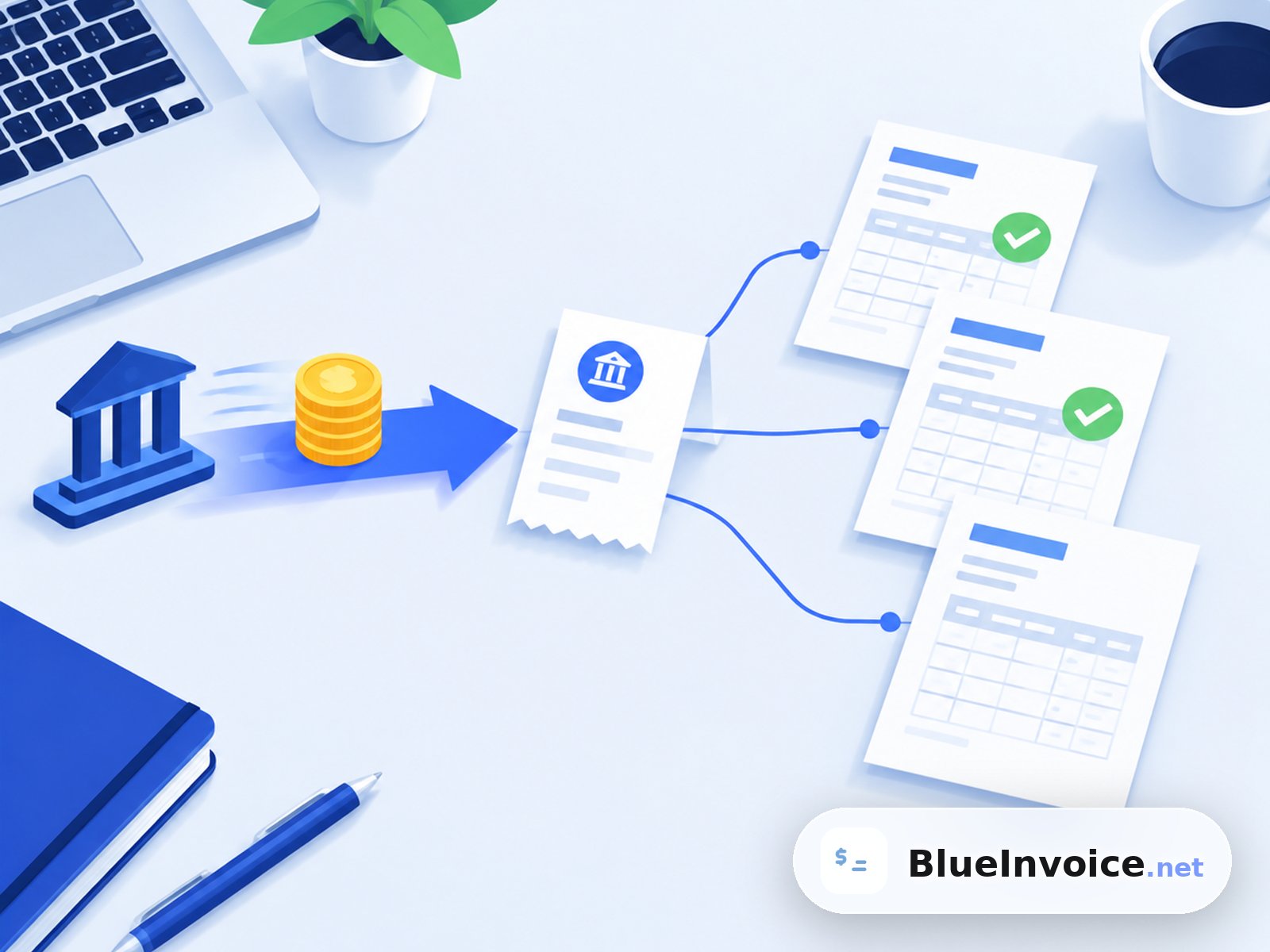
It matters because a bank statement often shows just an amount and a name. Suppose a client owes you three invoices and one transfer of 2,350.00 arrives. Without a remittance advice you would have to work out which invoices that pays. With one, you know straight away.
Remittance advice meaning in plain words
To "remit" means to send money. The "advice" is the notice that goes with it. Put together, the remittance advice meaning is simply "notice of money sent". Some businesses call it a remittance slip, a payment advice or simply a remittance. They all do the same job.
Who sends it: the payer, that is, your customer or their accounts payable team. As the supplier, you receive it. You can still ask for one, and make that easy, when you send the invoice.
What does a remittance advice include?
No law sets its layout, but a useful remittance advice answers four questions: who paid, how much, when, and for which invoices. Here is a typical one for a single transfer that settles two invoices, one of them after a credit note.
| Invoice or document | Invoice date | Amount | Paid now |
|---|---|---|---|
| Invoice 2026-0141 | 1 Sep 2026 | 1,200.00 | 1,200.00 |
| Invoice 2026-0142 | 8 Sep 2026 | 1,300.00 | 1,300.00 |
| Credit note CN-0007 | 12 Sep 2026 | -150.00 | -150.00 |
| Total transferred | 2,350.00 |
Around that list, a complete remittance advice usually also shows:
- Payer details: company name and, often, their customer or vendor number for you.
- Payee details: your business name, so the note reaches the right accounts inbox.
- Payment date and method: bank transfer, card, cheque or direct debit.
- Payment reference: the text or code that will appear on your bank statement.
- Deductions explained: credit notes applied, early payment discounts taken, withholding tax or disputed lines held back.
- Contact: who to ask if something does not add up.
Remittance advice template you can copy
If your clients ask what you need, or you pay suppliers yourself, this plain remittance advice template works in an email body or as a PDF. Replace the brackets and delete the lines you do not need.
Subject: Remittance advice - [Payer name] - payment of [amount] on [date]

To: [Supplier name], accounts receivable
From: [Payer name], [customer number if known]

Payment date: [date]
Payment method: [bank transfer / card / cheque]
Payment reference: [reference shown on the bank statement]
Total paid: [currency] [amount]

This payment covers:
- Invoice [number], dated [date]: [amount]
- Invoice [number], dated [date]: [amount]
- Less credit note [number]: -[amount]

Deductions or notes: [discount taken, amount withheld and why, or "none"]

Questions: [name], [email]
For a single invoice paid in full, the payment reference alone often does the job: the invoice number in the transfer reference is a remittance advice of one line.
How payment remittance works with bank transfers
Most payment remittance information now travels inside the payment itself, in the reference or "remittance information" field of the transfer. In the euro area, a SEPA credit transfer carries up to 140 characters of unstructured remittance text. That is enough for two or three invoice numbers, but not for a long list.
There are two ways around that limit:
- Structured references: a creditor reference such as the ISO 11649 "RF" reference identifies one invoice or one customer in a format software can read, so the bank and the accounting system can match it automatically.
- A separate advice: for payments covering many invoices, the payer sends the details by email or through their payment system. The ISO 20022 standard that banks use for payment messages even defines a dedicated remittance advice message for this.
Watch out for fraud: a remittance advice email with an attachment or link is a common phishing trick. Only trust one that matches a payment actually visible in your bank account, and never follow payment detail changes from an email alone.
Remittance advice vs receipt, invoice and statement
These documents sit at different points in the same payment cycle, and people mix them up. The difference is who sends each one and when.
| Document | Sent by | When | What it says |
|---|---|---|---|
| Invoice | Supplier | After the sale or work | This is what you owe and by when |
| Statement of account | Supplier | Periodically, often monthly | These invoices are open and this is the balance |
| Remittance advice | Customer | When paying | We sent this amount for these invoices |
| Receipt or payment confirmation | Supplier | After the money arrives | We received your payment |
A remittance advice is the customer's claim that they paid. It is not proof that the money arrived: only your bank account confirms that. Once it has landed, you can reply with a receipt. Our guide to the invoice payment confirmation email has wording for that. If a client asks what they still owe, a statement of account is the right document to send back.
What to do when a payment arrives without details
It happens every week in small businesses: money arrives with a reference like "PAYMENT" or nothing at all. A calm routine keeps your books right.
- Match the exact amount first. A transfer that equals one open invoice, or the sum of a few, is usually that invoice or those invoices.
- Check for deductions. An amount slightly below an invoice often means a bank fee, an early payment discount or a credit note the client applied.
- Ask for the remittance advice. A short, friendly email with the amount and date is enough: "We received 2,350.00 on 29 September. Could you tell us which invoices it covers?"
- Leave it unallocated until you know. Guessing wrong makes one invoice look overdue while another looks overpaid.
If the transfer covers only part of an invoice, handle the balance as described in our guide to the partial payment invoice. Matching payments to invoices across a whole month is covered in what invoice reconciliation is.
How to get clients to send remittance details
You cannot force a client to send a remittance advice, but you can make the easy path the right one. Put your request on the invoice itself:
- Give every invoice a unique number and ask for it in the transfer reference.
- Write the instruction next to your bank details, for example: "Please quote invoice number 2026-0142 as the payment reference."
- Ask for a note when one transfer pays several invoices, and say where to send it, for example your accounts email address.
- Keep the amount due easy to match by showing the final total clearly, including any credit already applied.
In the BlueInvoice invoice generator, the Payment Instructions box is where these lines go. It comes pre-filled with placeholders for bank name, account name, IBAN and BIC/SWIFT, or routing and account numbers for US dollar invoices. You can type your own text there, and the Notes box takes anything else you want the client to read.
Ask for the right referenceAdd payment instructions to your next invoiceFor a broader look at the term itself, the Wikipedia entry on remittance advice covers its history as a paper slip that was mailed back with a cheque.
Ready to send invoices that are easy to match?
- A clear invoice number your client can quote as the reference
- Bank details and a payment reference request in one box
- A PDF you download in your browser, no sign-up needed
Frequently asked questions
Not on its own. It is the payer's statement that a payment was made and what it covers. The supplier should treat a payment as received only when the money shows in their bank account. A bank confirmation or transfer record is stronger evidence if a payment is ever disputed.
In general, no. Invoices have legal content rules in many countries, but a remittance advice is a courtesy between businesses. Larger companies often send one automatically from their payment system. Small businesses usually rely on the invoice number in the bank reference instead.
The buyer, or whoever makes the payment, sends it to the seller. The seller then uses it to allocate the payment to open invoices. If you are the seller, you can request one on your invoice, but you do not issue it yourself. You issue a receipt or confirmation instead.
Yes. A plain email that lists the payment date, amount, reference and the invoices covered is a complete remittance advice. Many accounting systems send it as a PDF attachment. For a single invoice, the invoice number in the transfer reference often serves the same purpose.
Trust the amount in your bank account, then check the gap. Bank charges, a discount the client took or a credit note they applied usually explain it. If none of those fit, reply to the sender with both figures and ask them to confirm before you allocate the payment.